------------------------------------------------------------------------------------------------------------------
Welcome to the Japanese Store
It is 100% authentic.
Please inquire about size, condition, and accessories before purchasing.
【Voltage Compatibility】
When using electrical appliances, please note that they are designed for Japanese voltage specifications (90-110V), so if you use them with a different voltage, it may cause a malfunction.
【Plug Type】
Our products use Japanese plug types (A or B type).
Please use a conversion adapter if necessary.
【Important Note on Transformers and Adapters】
A transformer adjusts voltage to match your device’s requirements.
A conversion adapter only changes the plug shape and does not adjust voltage.
Using only a conversion adapter without a transformer may result in damage to the product.
【Liability】
We are not responsible for malfunctions or damages caused by improper use, such as operating the product without a transformer.
------------------------------------------------------------------------------------------------------------------
FM Mode: Use the charging cable as an external antenna and press and hold the button for 2 seconds to switch to FM mode.
Call mode: When the speaker is connected to your smartphone and a call comes in, press to answer the call, and when you're finished, press again to end the call.
Audio Input: Connect the audio cable, select the audio input mode, and connect the other end of the cable to a computer or smartphone to use it as a wired speaker.
ON/OFF: Press the switch to ON to turn the unit on, and to OFF to turn it off.
Music Mode: When you insert a TF card or USB memory, the speaker will display TF card mode/USB memory mode.
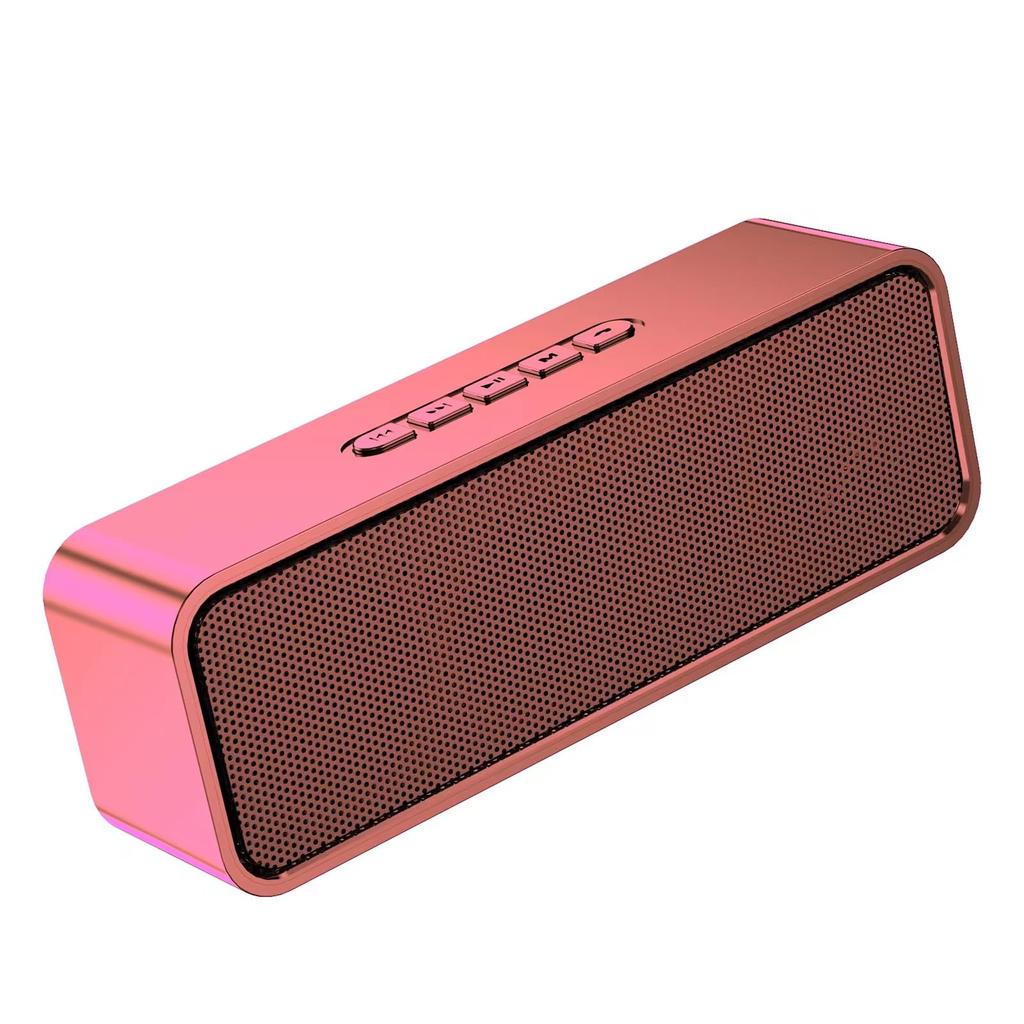
Product Specifications: Product Model: SC211; Bluetooth Version: 5.0; Charging: 5V 1A charger. A red light will illuminate while charging and turn off when fully charged. Charging will be completed in approximately 3 hours with the power off. Volume Control: Press and hold the first button to decrease the volume, briefly press the previous button, and press and hold the second button to increase the volume, briefly press the next button. Mode Switching: When multiple audio sources are connected to the speaker, press and hold the button for 2 seconds to switch between Wireless mode, TF card mode, audio input mode, FM mode, and USB memory mode. Speaker Connection: Wireless connection for a single speaker. When the speaker is powered on and no other devices are connected, it will default to wireless mode. The blue light will flash to indicate the search pairing state. Search for the device name "SC211" in the wireless function on your smartphone and click Connect to successfully pair. Turn on Bluetooth on both speakers simultaneously, turn off Bluetooth on the phone, etc., and then press the middle M button for 2-3 seconds to connect the two speakers.
The car will connect. Simply turn on Bluetooth on your phone or other device, search for "SC211," and connect. ON/OFF: Press the switch to ON to power on the unit, and press to OFF to power off. Music Mode: When a TF card or USB flash drive is inserted, the speaker will display TF card mode/USB flash drive mode. MP3 files on the TF card or USB flash drive will automatically play on the speaker. Call Mode: When the speaker is connected to a smartphone, press to answer a call, and when the call is over, press again to end the call. Audio Input: Connect an audio cable to select audio input mode, and then connect the other end of the cable to a computer or smartphone to use it as a wired speaker. FM Mode: Use the charging cable as an external antenna, and press and hold the button for 2 seconds to switch to FM mode. In this mode, press and hold the button for 2 seconds; the blue light will flash rapidly to search for radio stations, then wait 1-2 minutes until it finishes. In FM mode, you can switch between radio channels with the button.
It can be replaced.


 No-delivery refund