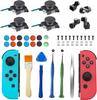
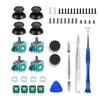
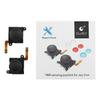
If the stick correction does not work well, we will explain what to do in the product description section of this site.
A reliable domestic repair shop (Swing-by service) We provide original products and repair professionals, and we will carefully answer even beginners' questions about procedures and how to deal with malfunctions.
We respond quickly in the unlikely event of a defective product or initial failure. Please contact us instead of leaving a review.
☆If you are unable to properly correct the movement after replacing the sticks, please be sure to try the following (some people give reviews ☆1 without trying): 1. Remove the Joy-Con from the main unit and complete the correction wirelessly → Attach the Joy-Con to the main unit and open the correction screen. (This method will improve most of the problems.) ・2. Attach the Joy-Con to the main unit and correct it. ・3. Update the Joy-Cons and then make corrections. ・4. Return to the initial state shown in the correction screen before making corrections. There is no problem even if ● does not reach the outer circle during correction. After correction is complete, if the + display is in the center and reaches the outer circle, correction is complete. If it still doesn't work, some customers have reported that re-plugging the cable fixes the issue. - If you damage the surface of the cable when replacing it, it may break and not work properly (you can't push it in, it doesn't move in one direction, etc.), so please contact us first.・Product evaluations may include harassing reviews from peers, so if there is an initial failure shortly after installation, please contact us instead of leaving a review (we cannot respond because we cannot determine who the customer is based on the review).
We are taking appropriate measures to ensure that you do not suffer any loss.